Descent Formats
The following file formats were used by Parallax Software in the computer game, Descent. Descent is a 3D six degrees of freedom shooter where the player is in a ship and has to fly through mine tunnels of a labyrinthine nature and destroy virus infected robots.
As of 2022, Descent can be purchased through GOG.
The DESCENT.HOG from GOG has a SHA256 hash of
83D76FF0C46BB2E7348A49BDD287AD764ABEDA0D851BFB16B42C1EDE93B21052.
File formats
- HOG - An archive file-format which contains multiple files (levels, sounds and sprites). Very similar idea to a tar or a zip with no compression.
- TXB - Encoded/encrypted text files which describe the mission briefings.
- RDL - Registered Descent Level file which describes the structure of the level. There are two key parts of a level, the mine structure (i.e the walls and cubes) and objects (i.e where hostages are, robots, cards etc).
There are several other file formats used in the HOG file for Descent that I haven’t yet looked a. These ares.
- LBM - An image format, with the file extension BBM. This may be related to the Interchange File Format.
- PCX - Image format used for full screen intro and the sky in outdoor scenes.
- VGA Palette with file extension 256.
- HMP - Human Machine Interfaces MIDI Format used for the music. The file starts with HMIMIDIP.
- FNT - Fonts
Other file extensions seen in the Descent 1 HOG are are raw, sng, bnk (maybe sound bank), dig, lgt and clr.
The formats were originally documented on the Descent Developer Network (DDN) which has since gone offline.
HOG
An archive file-format which contains multiple files (levels, sounds and sprites). They are very similar to a tar or a zip with no compression.
The file format is as follows:
- Magic number which is 3 bytes and corresponding to the string “DHF”
- A series of files which are preceded by a short header followed by the data.
- Name of the file
- Size of the file
- Data of the file (the number of bytes is based on size).
This results in the following:
- Magic number of DHF - 3 bytes
- The start of the first file
- filename - 13 bytes
- size - 4 bytes
- data - the size of this part is based on the size before it.
- The header for the next file
- filename - 13 bytes
- size - 4 bytes
- data - the size of this part is by the size before it.
- The header for the next file
- filename - 13 bytes
- size - 4 bytes
- data - the size of this part is by the size before it.
- Repeat until end of file
The filename is in the 8.3 filename format where there is 3 characters used for the file extension (suffix) and 8 used for the name separated with a dot and terminated with the null character.
Kaitai Specification
This specification opf the HOG format is described using Kaitai.
meta:
  id: hog
  application: Descent
  file-extension: hog
  license: CC0-1.0
  endian: le
  doc: |
    An archive file-format which contains multiple files used by Parallax
    Software in the computer game.
Descent.
seq:
  - id: magic
    contents: "DHF"
  - id: files
    type: file_entry
    repeat: eos
types:
  file_entry:
    seq:
    - id: filename
      size: 13
      type: str
      terminator: 0
      encoding: ASCII
      doc: |
        The filename is in the 8.3 filename format where 3 characters are used
        for the file extension (suffix) and 8 used for the name. The two parts
        are then separated with a dot and finally the entire name is terminated
        with the null character. This gives the 13 characters.
    - id: size
      type: u4
    - id: data
      size: size
Sample Data
This is from DESCENT.HOG included in the GOG version which has has a SHA256
hash of 83D76FF0C46BB2E7348A49BDD287AD764ABEDA0D851BFB16B42C1EDE93B21052.
- First file
- filename = descent.txb
- size = 15415
- Second file
- filename = briefing.txb
- size = 17308
- Third file
- filename = credits.txb
- size = 1870
- Second to last file
- filename = levelS2.rdl
- size = 0x9BB2 = 39858
- Last file
- filename = levelS3.rdl
- size = 114239
TXB
Encoded/encrypted text files which describe the mission briefings. They have
the file extension txb within the HOG file.
A byte value of 0xA is a LF and for the game would be converted to CR LF. Other bytes are rotated by 2 bits to the left (so the most significant bits then it is XORed with 0xA7.
for single_byte in stream:
    if single_byte == 0x0A:
        yield '\r'
        yield '\n'
    else:
        yield chr(((single_byte & 0x3F) << 2) +
                  ((single_byte & 0xC0) >> 6) ^ 0xA7)
This only covers going from TXB to plain text and not how to go from plain text to TXB.
Sample Data
The following is first 91 characters from credits.txb after decoding them.
$$DESCENT

by Parallax Software


*Original Design
Mike Kulas
Matt Toschlog

*Programming
Matt Toschlog
RDL
The Registered Descent Level file describes the structure of the level. There are two key parts of a level:
- The mine structure, i.e the walls and cubes.
- The objects, i.e where hostages are, robots, cards etc.
The file itself starts with a header which begins with the magic number at the start which is 4 bytes long and and corresponds to the string “LVLP”,
To date, as of 2022, I have only focused on the geometry data and have ignored the lightning and texture information. I have not looked at the objects either.
| Property | Type | Description |
|---|---|---|
| Signature | uint8_t4 | Magic number that identifies the type of file. This will be LVLP. |
| Version | uint32_t4 | The file version. For Descent 1 this will be 1. |
| Mine Data Offset | uint32_t | The offset in the file to the start of the data for the mine. |
| Objects Offset | uint32_t | The offset in the file to the start of the objects within the mine . |
| Hostage Offset | uint32_t | The offset in the file to the start of data about the hostages in the mine. This seems to be unused. |
Mine Data
The following are data structures used to help define the mine data. The
starting point is RdlMineData.
| Property | Type | Description |
|---|---|---|
| Version | uint8_t | The version number for the mine data. For Descent 1 this will be 0. |
| Vertex Count | uint16_t | The number of vertices in the mine. |
| Cube Count | uint16_t | The number of cubes in the mine. |
| Vertices | uint32_t3 | The coordinates of the vertex as a 32-bit fixed point number in the 16:16 format. |
| Cubes | Cube | The cubes that define the area within the mine. |
// The following is intended as pseudo-code as it is not valid C as the size of // the array depend on values that precede it.
struct RdlMineData
{
  uint8_t version;
  uint16_t vertexCount;
  uint16_t cubeCount;
  Vertex vertices[vertexCount];
  Cube cubes[cubeCount];
};

// Where Vertex is:
struct Vertex
{
    // The coordinates for a vertex is in 32-bit fixed point number in the
    // 16:16 format.
    int32_t, int32_t, int32_t x, y, z;
};
What is a Cube here.
A cube starts with the neighbour bit-mask which is a uint8_t. The 6th bit defines if the cube is an energy centre, which I believe means its a zone where if the player’s ship is within it it will regain energy.
Bit 0 through to bit 5 inclusive defines which sides are of the cube are applicable. For each bit that is set, there will be a 16-bit signed integer representing the ID of the other the neighbouring cubes.
A way to unpack this information is to populate an array
int16_t neighbors[6]; and use a value of -1 indicates there is no cube on
that face otherwise it is the value from the sequence of integers after the
bit mask. Following the neighbouring cube information are the indices of the
vertices that define the cube, followed by information about the energy centre
if applicable then lightning value. AFter the lightning value is a wall-bit mask
with variably number of bytes for the ID of each of the walls before finally
the texture information.
For the six sides, we check if there is a neighbouring cube and that there is wall there. If there is we read 16-bit unsigned integer which gives us the primary texture number, if the 15th bit is set, then we read another 16-bit unsigned integer for the secondary texture number, followed by the four UVLs (two signed 16-bit integers and 1 unsigned) where the UV are the texture coordinates and L is is the light value.
- Neighbour bit-mask - 8-bit integer
- If bit 0 is set then another cube is neighbouring the cube on its left side.
- If bit 1 is set then another cube is neighbouring the cube on its top side.
- If bit 2 is set then another cube is neighbouring the cube on its right side.
- If bit 3 is set then another cube is neighbouring the cube on its bottom side.
- If bit 4 is set then another cube is neighbouring the cube on its back side.
- If bit 5 is set then another cube is neighbouring the cube on its front side.
- If bit 6 is set then the cube is an energy center. This may not be 100% correct as in my implementation I ended up deviating from this, I am not sure if that is because the original documentation on the Descent Developer Network (which has since gone offline) was incorrect or because I mucked up the vertice ordering so I ended up with the sides themselves rearranged.
- Neighbour Cube Index - signed 16-bit integer - for each bit from 0 to 5 set above.
- Vertice indices - 16-bit unsigned integer - The index of the 8 vertices that make up this cube.
- The energy center define will be present if bit 6 was set in the neighbour
bitmask. This means there is 4-bytes of additional information to read.
struct EnergyCenter { uint8_t special; int8_t energyCenterNumber; int16_t value; }; - The cube’s lightning value - 16-bit integer that represents fixed point number in 4:12 format. To convert this to 64-bit (double precision) floating point number divide the value by (24 * 327.68).
- The wall bit-mask - 8-bit unsigned integer. For each bit set there is a byte that is the ID of if there is a wall there.
- The texturing information. At the moment I am not covering how this is used,
however in order to read the next cubes you need to know how much data
to read.
For each of the six sides, check if is neighbouring cube and there is a wall
there. If there is then you need to read the texture information for that
side.
- Primary texture number - 16-bit unsigned integer
- Optional, secondary texture number - 16-bit unsigned integer - This will be present if the 15th bit of the primary texture number is set.
- Four UVLs, i.e
struct UVL { int16_t u; int16_t v; uint16_t l; };These make up 2 * 3 * 4 bytes.
The neighbour and wall bit-masks could do with some worked examples to help go through them
Kaitai Specification
I am not sure how suited Kaitai is to the bit-masking so at this time the specification here does not include the cube data.
meta:
  id: rdl
  application: Descent
  file-extension: rdl
  license: CC0-1.0
  endian: le
doc: |
  The Registered Descent Level file describes the structure of the level.
  There are two key parts of a level:
  * The mine structure, i.e the walls and cubes.
  * The objects, i.e where hostages are, robots, cards etc.
seq:
  - id: signature
    contents: "LVLP"
  - id: version
    type: u4
    doc: The version of the level format. For retail this is always 1.
  - id: mine_data_offset
    type: u4
    doc: The offset to the start of the mine data.
  - id: objects_offset
    type: u4
    doc: The offset to the start of the objects.
  - id: file_size
    type: u4
    doc: The overall size of the file including the fields so far.
instances:
  mine_data:
    pos: mine_data_offset
    type: mine_data
types:
    mine_data:
      seq:
      - id: version
        type: u1
      - id: vertex_count
        type: u2
      - id: cube_count
        type: u2
      - id:  vertices
        type: vertex
        repeat: expr
        repeat-expr: vertex_count
    vertex:
      doc: |
        The coordinates are in 16:16 fixed-point format. Divide them by 65536.0
        to convert to 64-bit (double precision) floating point number
      seq:
      - id: x
        type: s4
      - id: y
        type: s4
      - id: z
        type: s4
Fixed-point to floating-point
The following function can be used to take a 16:16 fixed-point number and convert it to a 64-bit floating point number.
inline double fixedToFloating(int32_t value)
{
  return value / 65536.0;
}
Implementation
The implementations I wrote for reading these formats are available on my descentreader project on GitHub.
Special thanks to Thomas Nobes for recently stumbling across the project and submitted a bug fix for an issue where walls were missing.
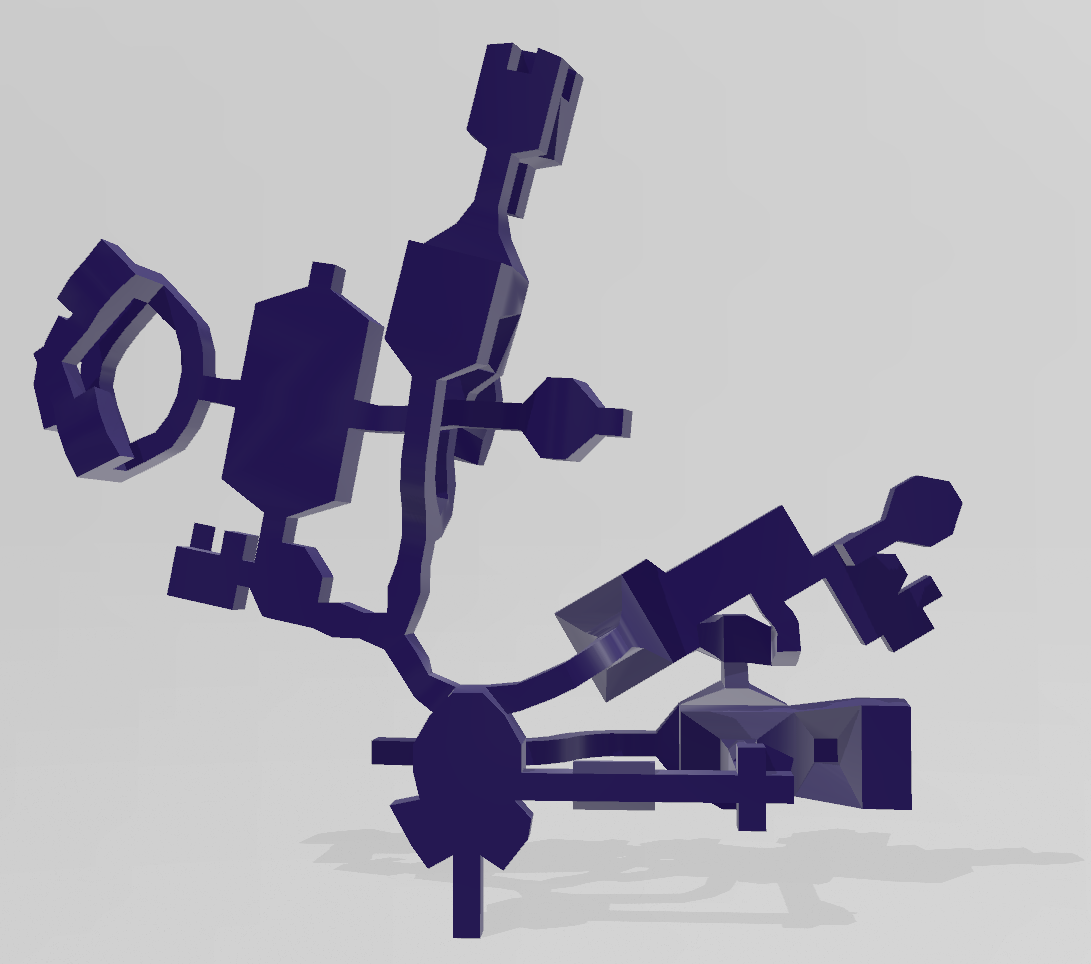
The tool I wrote is able to create a Polygon File Format (PLY) file from a level within the HOG file. The screenshot taken below shows the file in the Microsoft Windows application called Print 3D.