Rendering vector tiles from MBTiles
MBTiles is an open specification for storing map tiles in a single file. The file itself is a SQLite database, which even has its own magic number so it can be identified from other files. The database forms a tileset (collection of tile). Tiles can either be raster based (either PNG or JPEG) or vector tiles. Tiles themselves are indexed based on zoom level, tile column and row.
The part that held my interest was the vector tiles, as I wanted to be able to draw the tiles myself. As a result my vectortiles project works with MBTiles but focuses soley on the vectortiles aspect at this time.
The vector tiles themselves use protoctol buffers and the definition
file is available on GitHub. This can then be ran through protoc to
generate the bindings for a particular language, in my case I was going with
Python.
The process thus far was:
- Open the MBTiles file as a SQLite database (in Python this is thorough the sqlite3 module)
- Query the
tile_datafrom thetilestable. - Check if the tile is GZIP encoded (look for the GZIP header,
0x1F8B008) - Decompress the tile
- Parse it using the generated Python binding.
- Walk over the data for the tile.
  for each layer:
      for each feature:
          decode geometry
The thing that is involved is decoding the geometry and to a lesser extent decoding the attributes know nas tags in version 2.1.
Decoding geometry
The geometry is essentially encoded as a stream (well array) of commands where each command is made up of the ID of the command (its opcode) and a count which is the number of times the command is repeated. Followed by the parameters for the command if any.
There are only three commands:
- MoveTo
- LineTo
- ClosePath
The first two take parameters and the last does not.
The count command allows it to encode LineTo(10, 10) and LineTo(20, 20) as
[LineTwo, 2, 10, 10, 20, 20] to save space when the same command is called
again and again. This is a form of run-length encoding.
While I was working on this geometry command decoding logic, I was sure it was familiar. It turned out I had previously looked into this back in 2021-01-0 and had written it and it was in a working state.
The catch as mentioned in the specification are the parameters are zigzag encoded. Unfortunately, the protocol buffer format doesn’t help here as while signed integers are ZigZag encoded instead of using two’s complement, the data is described as being uint32. Ultimately, this means a little bit of bit-shifting and twiddling is required.
def decode_zigzag_integer(value):
    return (value >> 1) ^ (-(value & 1))
Decoding attributes
Features have attributes in the form of tags, where the tags are pairs of integers that corresponding to the keys and values lists from the layer. This means the values can be reused between different features, i.e the ‘class’ which can be primary, secondary and tertiary as well as the zones like residential, commercial and industrial.
Drawing
With the format decoded and under my belt it was time to use it to draw a map. I had previously used Skia from Python via skia-python so I went with that.
The Path object in Skia is very similar to how the commands work. It has
moveTo(), lineTo() and close() functions.
The following is coloured with lines in orange and polygons in green.
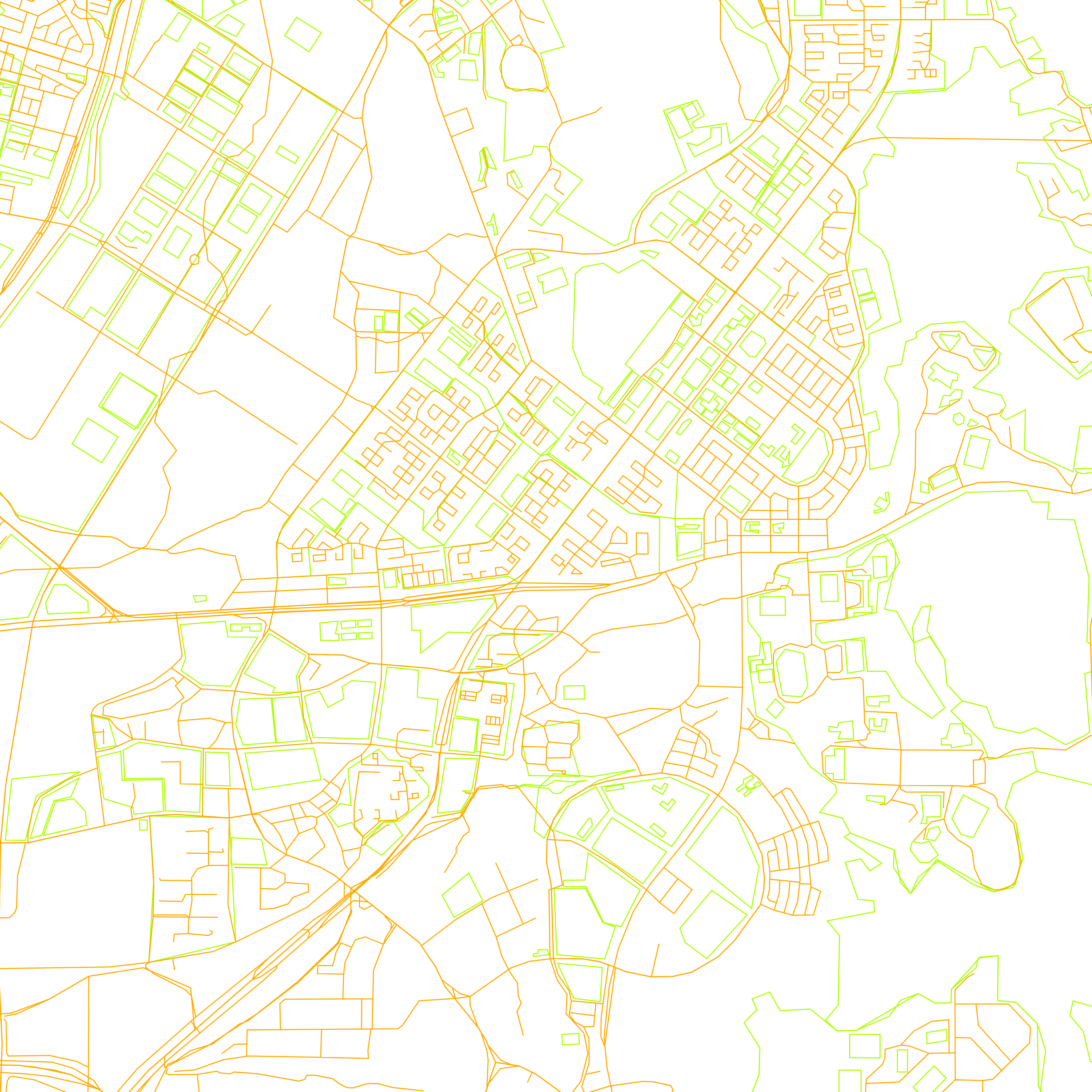
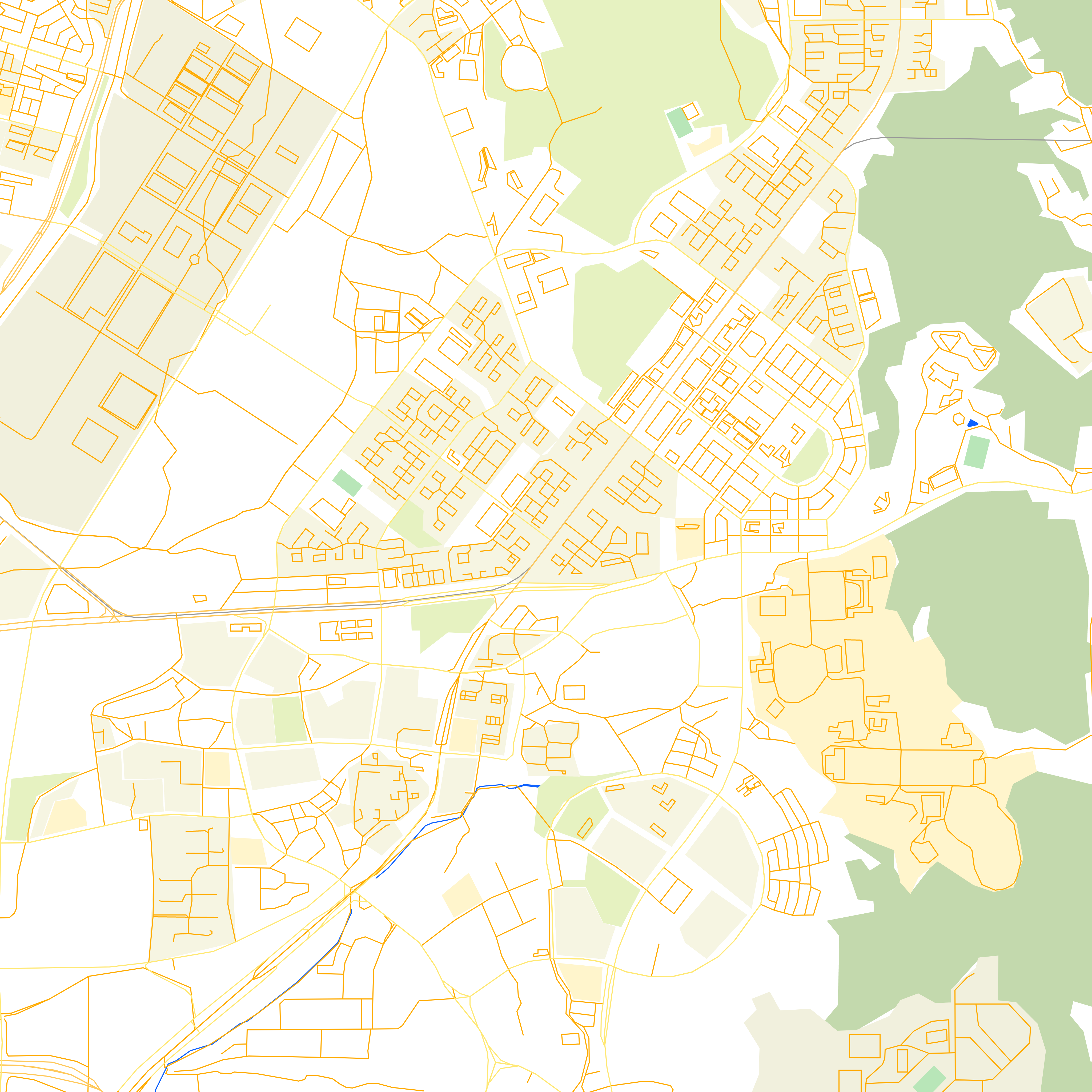
The next was after setting the brush up the Paint style to be stroke and
fill so the polygons are filled in. In this version I experimented with
different colours for various classes, so rivers are blue and rail lines are
grey.
Bonus - Data Preparation
Getting data to test with - I was trying to get some local data to test with in an area that I recognised and had used in my previous post about OSRM (Open Street Routing Machine).
- Export a small region from OpenStreetMap
-
Convert the exported data which is in the OSM XML format to OSM PBF. This uses the osmium tool (available on Debian based systems as osmium-tool).
osmium cat map.osm -o map.osm.pbf -
Convert the OSM.PBF to MBTiles in vector format via tilemaker.
./build/tilemaker --input map.osm.pbf --output map.mbtiles --config resources/config-openmaptiles.json --process resources/process-openmaptiles.lua